
Quick Answer
The best cable management starts with identifying which cables you actually need, then using a combination of under-desk cable trays, adhesive cable clips, and cord sleeves to route everything neatly. I always tackle power cables first, then data cables, keeping frequently used connections easily accessible.
Let me be honest with you – I used to have the messiest desk setup you could imagine. Cables snaking everywhere, power cords tangled in impossible knots, and that constant frustration of accidentally unplugging something important while trying to reach for my phone charger. If this sounds familiar, you’re definitely not alone!
After years of trial and error (and way too many moments of crawling under my desk with a flashlight), I’ve discovered some incredibly effective cable management ideas that have completely transformed my workspace. Today, I’m sharing everything I’ve learned about creating a clean, functional desk setup that actually stays organized.
🧹 Start with a Complete Cable Audit
Before diving into any organizing solutions, I always recommend doing what I call a “cable audit.” This might sound overly formal, but trust me on this one – it’s the foundation of good cable management.
I start by unplugging everything and laying all my cables out on the floor. Yes, everything! Then I sort them into three piles: daily use, occasional use, and “what even is this thing?” You’d be amazed how many mystery cables accumulate over time.
💡 Pro Tip: Take photos of your cable connections before unplugging everything. This saves so much time when you’re putting everything back together!
During my last cable audit, I discovered I had three different HDMI cables, two of which I never used, and at least four USB cables that belonged to devices I no longer owned. Getting rid of the excess immediately made the management process so much easier.
🎯 Under-Desk Solutions That Actually Work
The area under your desk is prime real estate for cable management, and I’ve tried just about every solution out there. Here’s what actually works in my experience:
📦 Cable Management Trays
These mesh or plastic trays that mount under your desk are absolute game-changers. I installed mine about two years ago, and it’s still one of my best organizational decisions. The tray keeps all my power strips and excess cable length completely out of sight while still being accessible when needed.
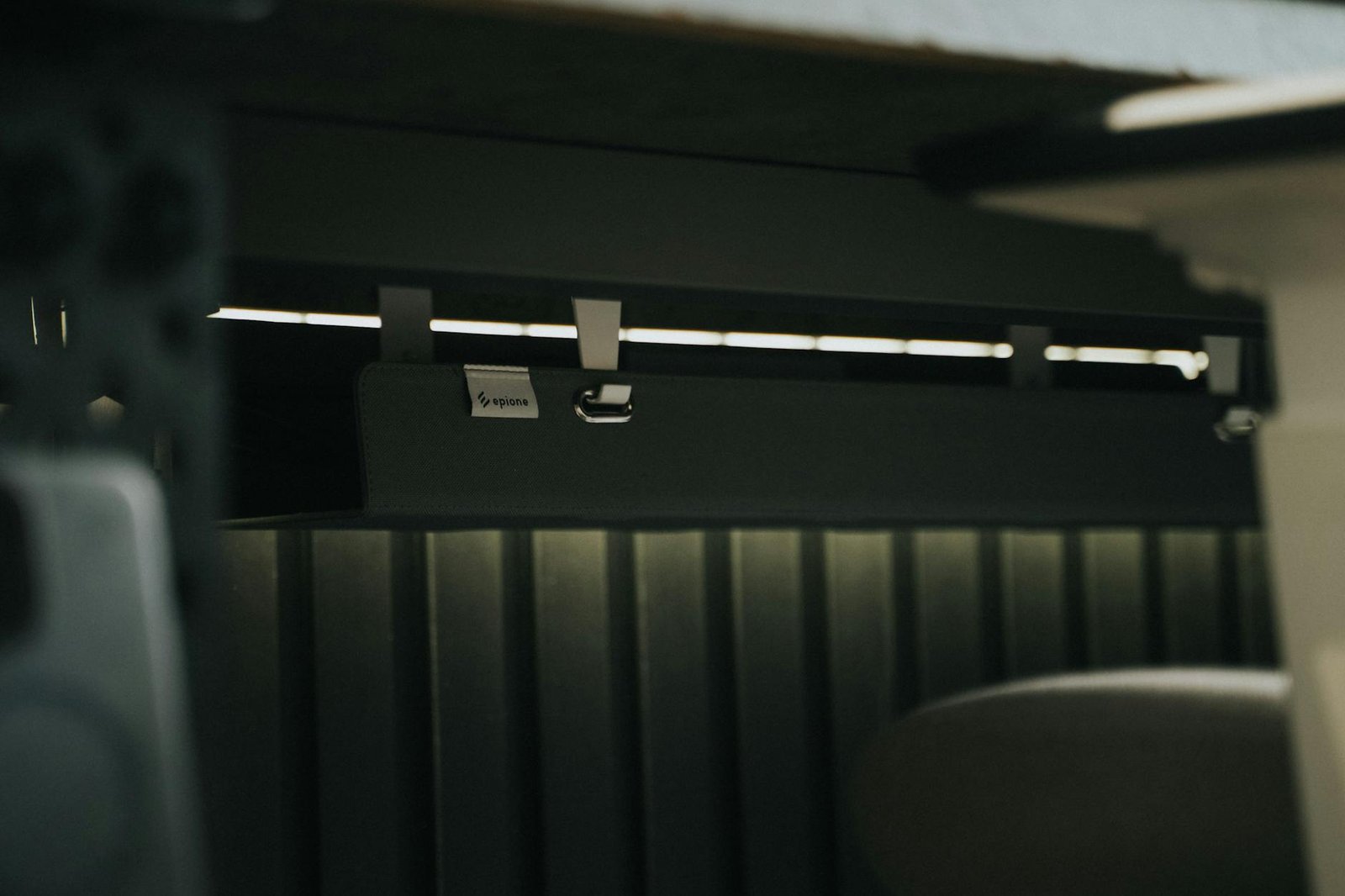
What I love most about this solution is how it prevents the “cable creep” that happens when loose cables gradually migrate across your floor. Everything stays contained and purposeful.
🔌 Strategic Power Strip Placement
Instead of having power strips scattered around or sitting on the floor where they collect dust and get kicked, I mount them inside my cable tray or on the side of my desk. This keeps all the plugs easily accessible but completely out of the way.
📖 Remember: Always ensure your power strips have surge protection, especially for expensive electronics. I learned this the hard way during a thunderstorm!
🎨 Desktop Cable Organization Ideas
Now let’s talk about managing the cables that need to be visible and accessible on your desktop. This is where things get a bit more creative, and honestly, where I’ve had the most fun experimenting.
📎 Adhesive Cable Clips
These small, adhesive clips that stick to the edge of your desk are perfect for routing cables exactly where you need them. I use them for my phone charging cable, headphone cord, and the USB cable I use for my external drive.
The key is being strategic about placement. I put clips at the corners of my desk and at regular intervals along the edge, creating a “cable highway” that guides everything in an organized path.
🎭 Cable Sleeves for the Win
For multiple cables that need to run in the same direction, cable sleeves are fantastic. These flexible tubes bundle multiple cables together, creating one clean line instead of several messy ones.
I use them primarily for the cables running from my computer to my monitor – power, HDMI, and USB all get bundled together in one neat sleeve that runs along the back edge of my desk.
🏠 Creating Cable Zones
One of the most effective strategies I’ve developed is creating distinct “zones” for different types of cables. This approach has made my home office organization so much more logical and maintainable.
⚡ Power Zone
All power-related cables stay in one area – usually the right side of my desk where my cable tray is mounted. This includes my computer power cord, monitor power, desk lamp, and phone charger.
📡 Data Zone
Data cables (HDMI, USB, ethernet) get their own zone, typically routed along the back of my desk. These cables don’t move much once they’re set up, so they can be more permanently organized.
🔄 Flexible Zone
This is for cables I frequently plug and unplug – like my phone charging cable, external drive connections, or headphones. I keep these easily accessible but still organized with clips and designated spots.

Different cable zones keep power, data, and flexible cables organized in designated areas
🔧 DIY Cable Management Hacks
Sometimes the simplest solutions are the most effective. Here are some DIY tricks I’ve discovered that cost almost nothing but make a huge difference:
🗂️ Binder Clips as Cable Holders
Large binder clips clipped to the edge of your desk make excellent cable holders. I thread cables through the metal handles, and they stay exactly where I put them. It’s especially useful for cables you frequently disconnect.
📦 Empty Boxes for Cable Storage
I keep a small decorative box on my desk for storing excess cable length. It’s much prettier than having coiled cables sitting around, and it keeps everything contained but accessible.
🏷️ Velcro Ties Over Twist Ties
Velcro cable ties are reusable and so much easier to work with than those plastic twist ties that never seem to cooperate. I buy them in bulk and use them everywhere – under my desk, behind my computer, even in my desk organization system.
🚀 Maintaining Your Cable Organization
Here’s the thing about cable management – it’s not a “set it and forget it” situation. I’ve learned that a little ongoing maintenance prevents major cable chaos from returning.
I do a quick cable check every few weeks, making sure everything is still in its designated spot and that I haven’t accumulated any new mystery cables. It takes maybe five minutes, but it saves hours of re-organizing later.
💡 Maintenance Tip: Whenever I add a new device to my setup, I immediately plan where its cables will go rather than just plugging it in anywhere convenient.
❓ Frequently Asked Questions
How do I manage cables when I have multiple monitors?
Multiple monitors definitely create more cable complexity! I route all monitor cables through a single cable sleeve running along the back of my desk, then use a cable tray underneath to manage the power connections. The key is keeping all monitor-related cables together in one bundle.
What’s the best way to hide cables in a small workspace?
In smaller spaces, I focus on vertical solutions – mounting cable trays under the desk and using the wall space behind the desk for routing. Adhesive cable clips along the desk edge work great for keeping essential cables accessible but tidy.
How do I deal with cables that need to be frequently plugged and unplugged?
For frequently used cables like phone chargers or USB connections, I use binder clips or dedicated cable clips positioned right at the desk edge. This keeps them within easy reach but prevents them from falling to the floor when disconnected.
Should I label my cables?
Honestly, I only label cables that aren’t obvious – like multiple USB cables that look identical but serve different purposes. For most setups, good organization and consistent placement eliminate the need for extensive labeling.
✨ Your Clean Desk Journey Starts Now
Creating an organized, cable-managed desk setup has been one of the most satisfying home organization projects I’ve tackled. Not only does it look so much better, but it actually makes me more productive because I’m not constantly distracted by visual clutter or frustrated by tangled cables.
The best part? You don’t need expensive solutions or complicated systems. Start with a cable audit, pick one or two management techniques that appeal to you, and build from there. I promise you’ll be amazed at how much better your workspace feels with just a little intentional cable organization.
Remember, the goal isn’t perfection – it’s creating a system that works for your specific needs and actually stays organized over time. What cable management challenges are you facing in your workspace? I’d love to hear about your setup and help brainstorm solutions in the comments below!